Coming soon · Free, no ads

The fastest way to play Minecraft.

Every version, the mods you love from Modrinth and everything your old launcher had, one click away. For Minecraft: Java Edition.

Windows, macOS and Linux

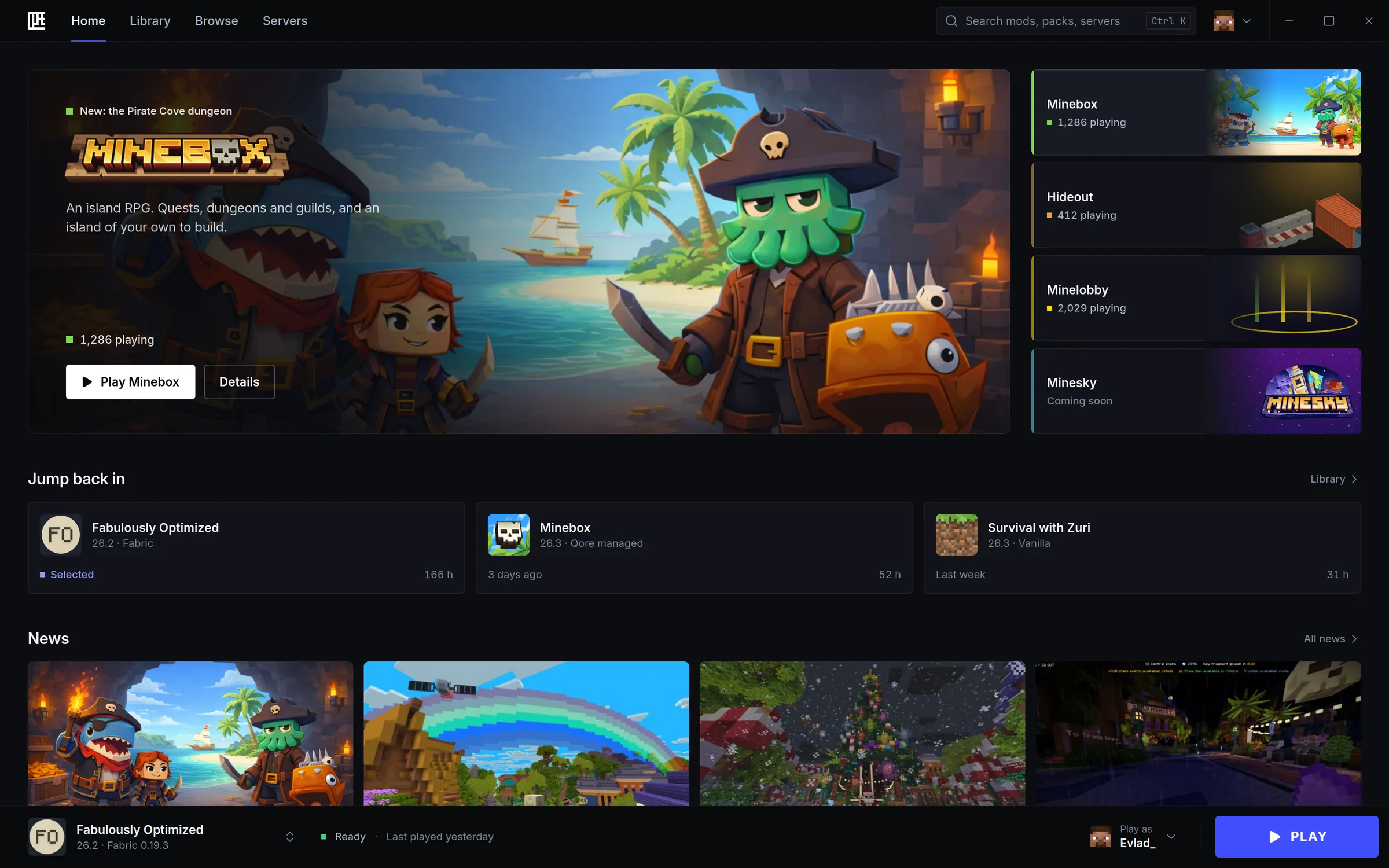
Qore Launcher's Home: Minebox's new dungeon in the banner, Qore's games beside it, your recent instances and the news below, and the Play bar at the bottom.
  • Free, no ads

    Nothing to pay, nothing to sit through, nothing sold.

  • Private

    No tracking. Nothing about you is sent to Qore.

  • A native core

    The heavy lifting runs in native code, so the window stays smooth.

  • Every computer

    Windows, macOS and Linux, the same launcher on each.

Fast

Ready before you are.

Speed is the first feature. A native core does the heavy lifting, so the launcher stays out of your way and the game starts the moment you click.

  • Play means playOnce a version is installed, the game starts the moment you click.
  • Qore BoostOn Minecraft 26.1 and later, the loading screen closes the moment the game is ready.
  • Parallel, verified downloadsFiles come down side by side, and each one is checked before it's used.
  • Nothing downloaded twiceIt reuses the game files your other launchers already have, so a first install downloads almost nothing.
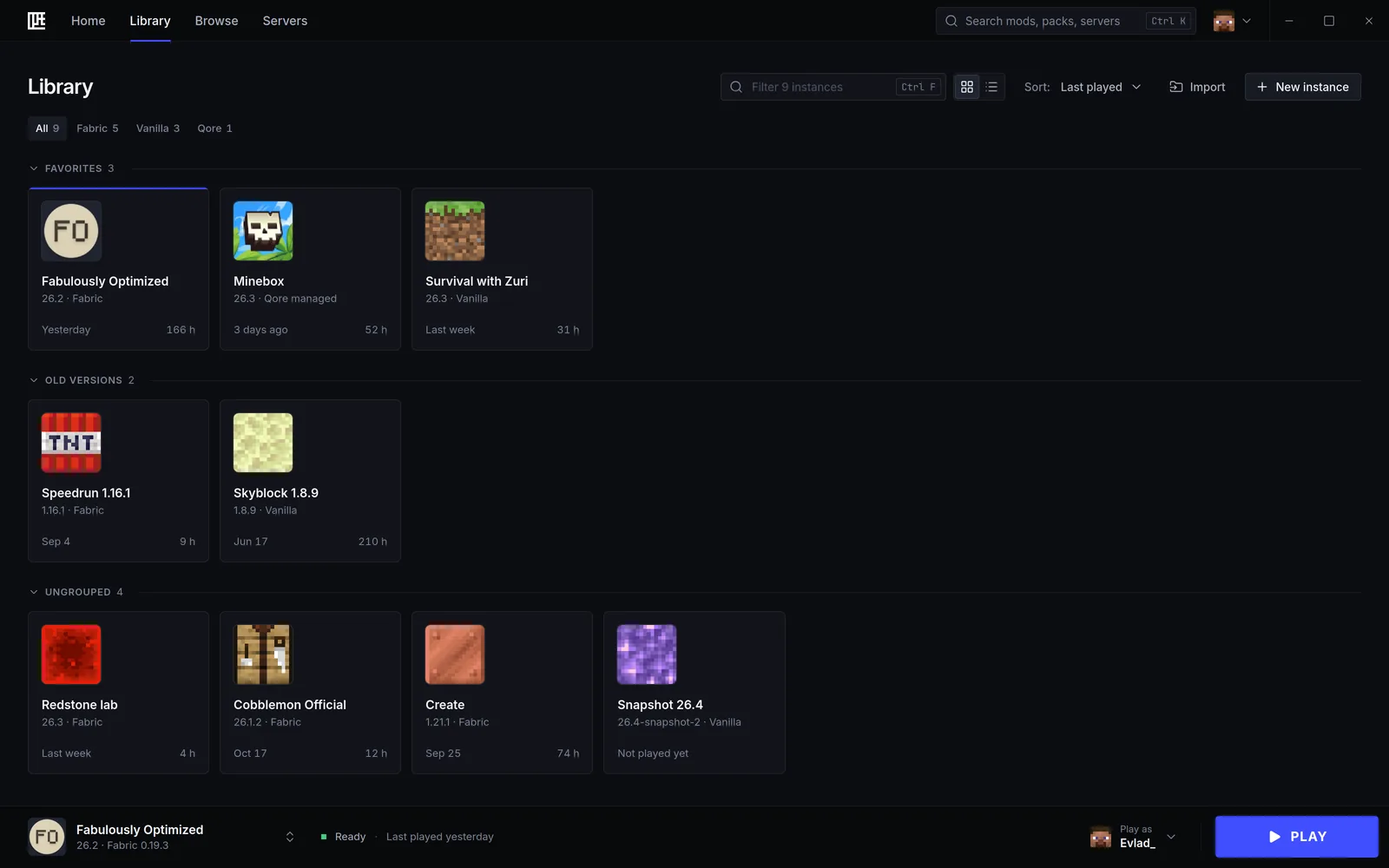
The Library: instances grouped as favorites, old versions and the rest, each with its version, loader and play time.

Inside

Everything you play, in one place.

Vanilla or a hundred mods, a server or a single world: the launcher sets it up, keeps it working and tells you plainly when something's off.

Every version

Any version, the right Java.

Every release, every snapshot and the old versions too. Add Fabric or Quilt in one click; the launcher installs the Java each version needs.

  • Releases
  • Snapshots
  • Old versions
  • Fabric
  • Quilt
  • Java, managed
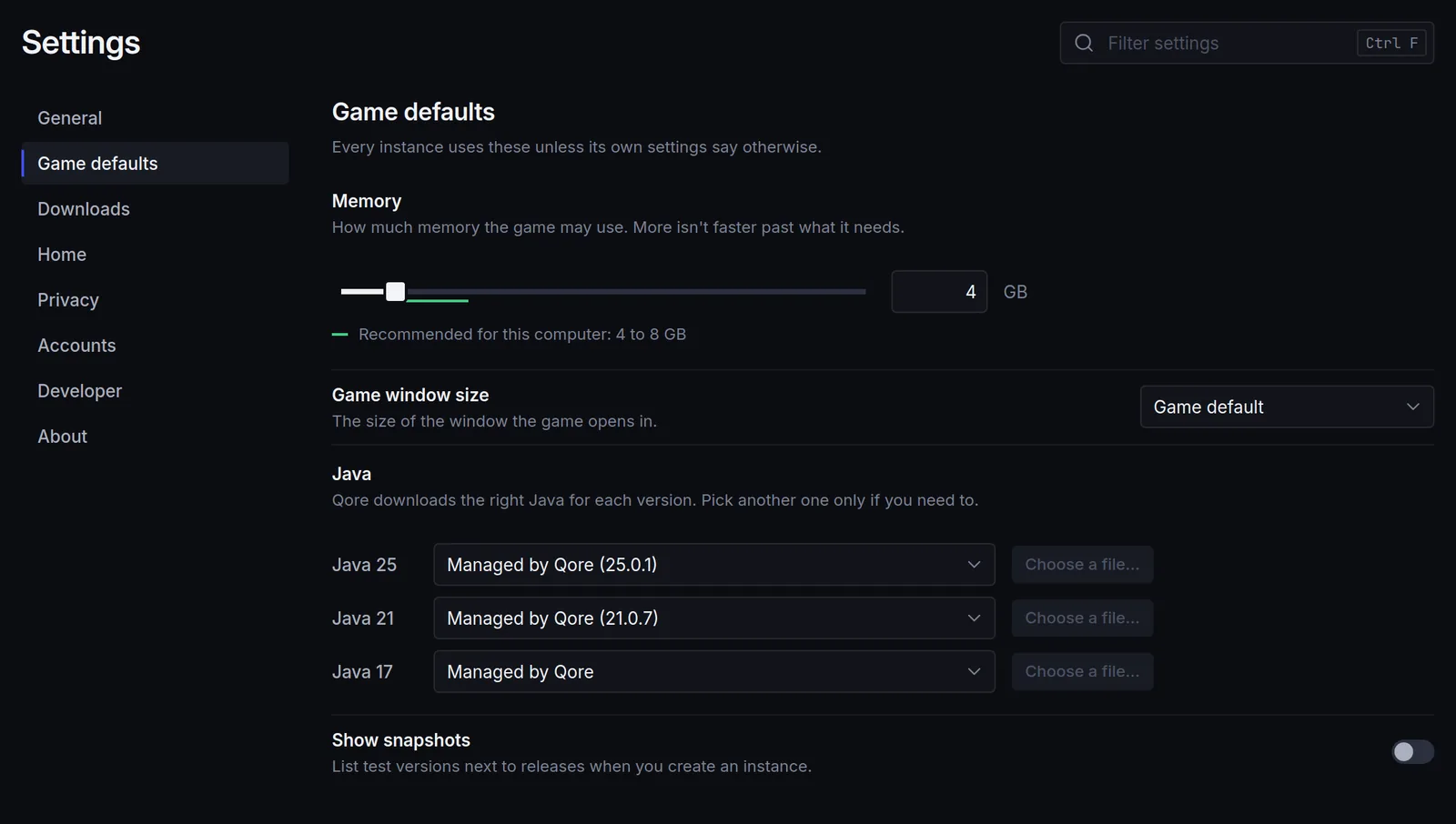
Game defaults in Settings: memory, window size, and Java 25, 21 and 17, each managed by Qore.

Import

Bring everything.

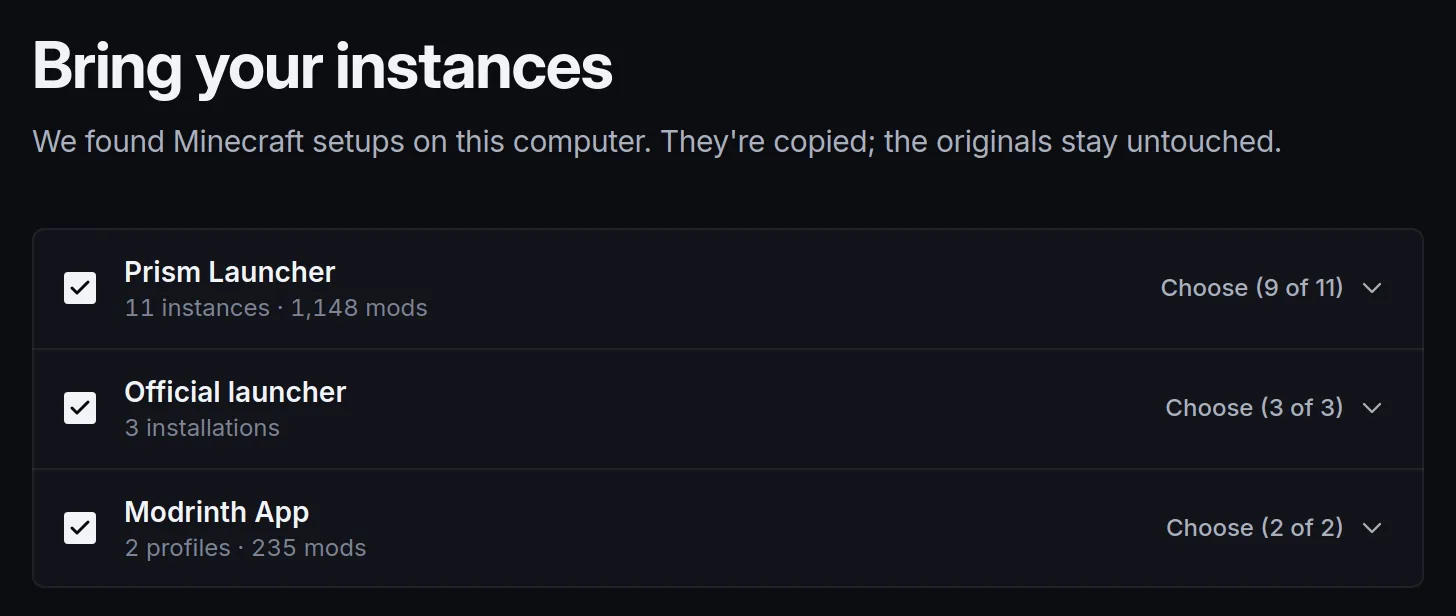
The launcher finds the instances your current launcher has and copies them over, with their worlds, mods and settings. The originals stay untouched; accounts and passwords are never read.

  • Official launcher
  • Prism Launcher
  • MultiMC
  • Modrinth App
  • CurseForge app
Bring your instances: Prism Launcher, the official launcher and the Modrinth App found on this computer, each ready to import.

Mods from Modrinth

Modrinth, built in.

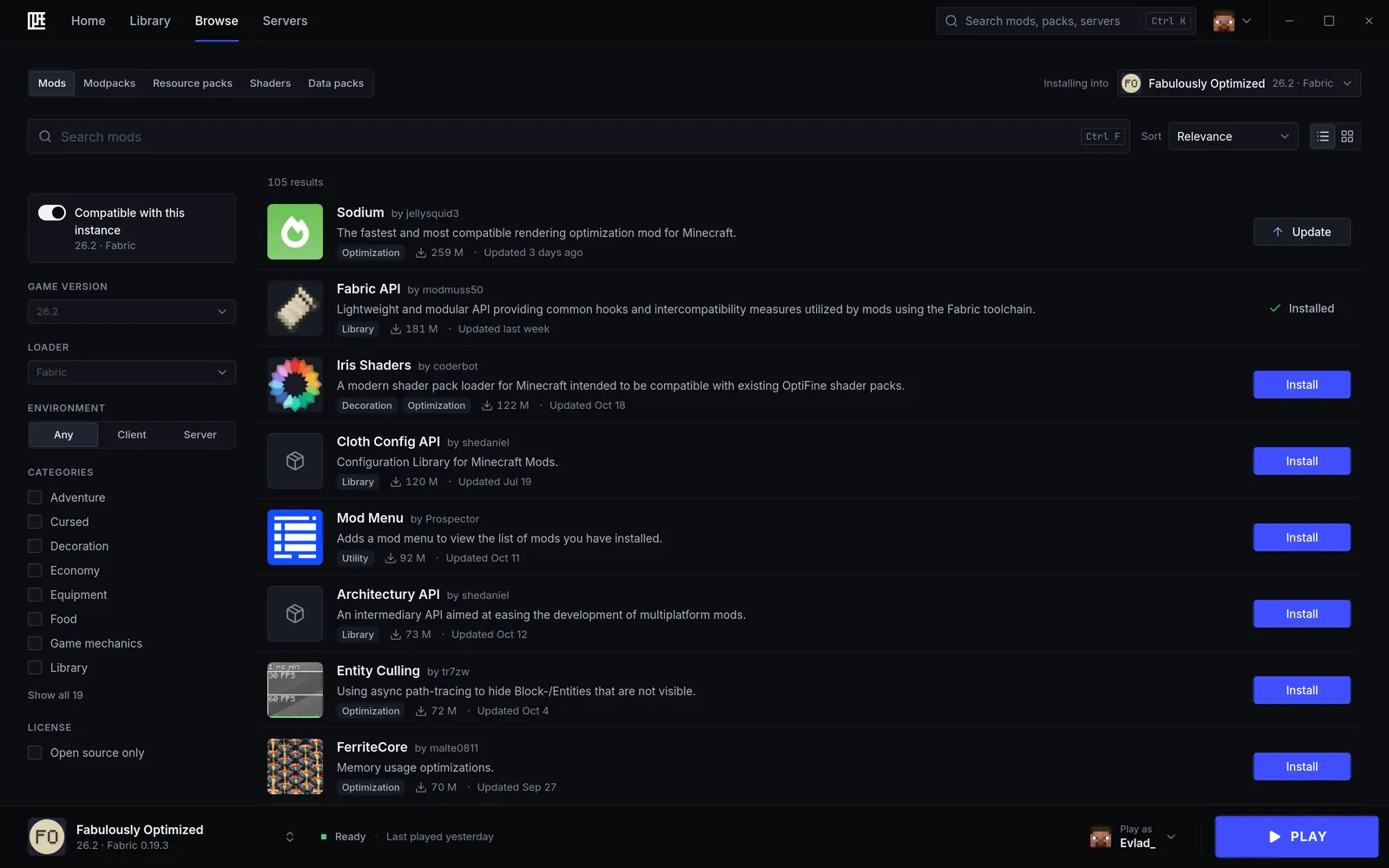
Browse and install mods, modpacks, resource packs, shaders and data packs from Modrinth, straight into the instance you pick.

  • Dependencies installed for you
  • Compatibility shown for each instance
  • Updates you can undo in one click
  • Creators credited, with a link to each project
Browsing mods from Modrinth for the Fabulously Optimized instance: Sodium, Fabric API, Iris Shaders and more, each with Install, Update or Installed.
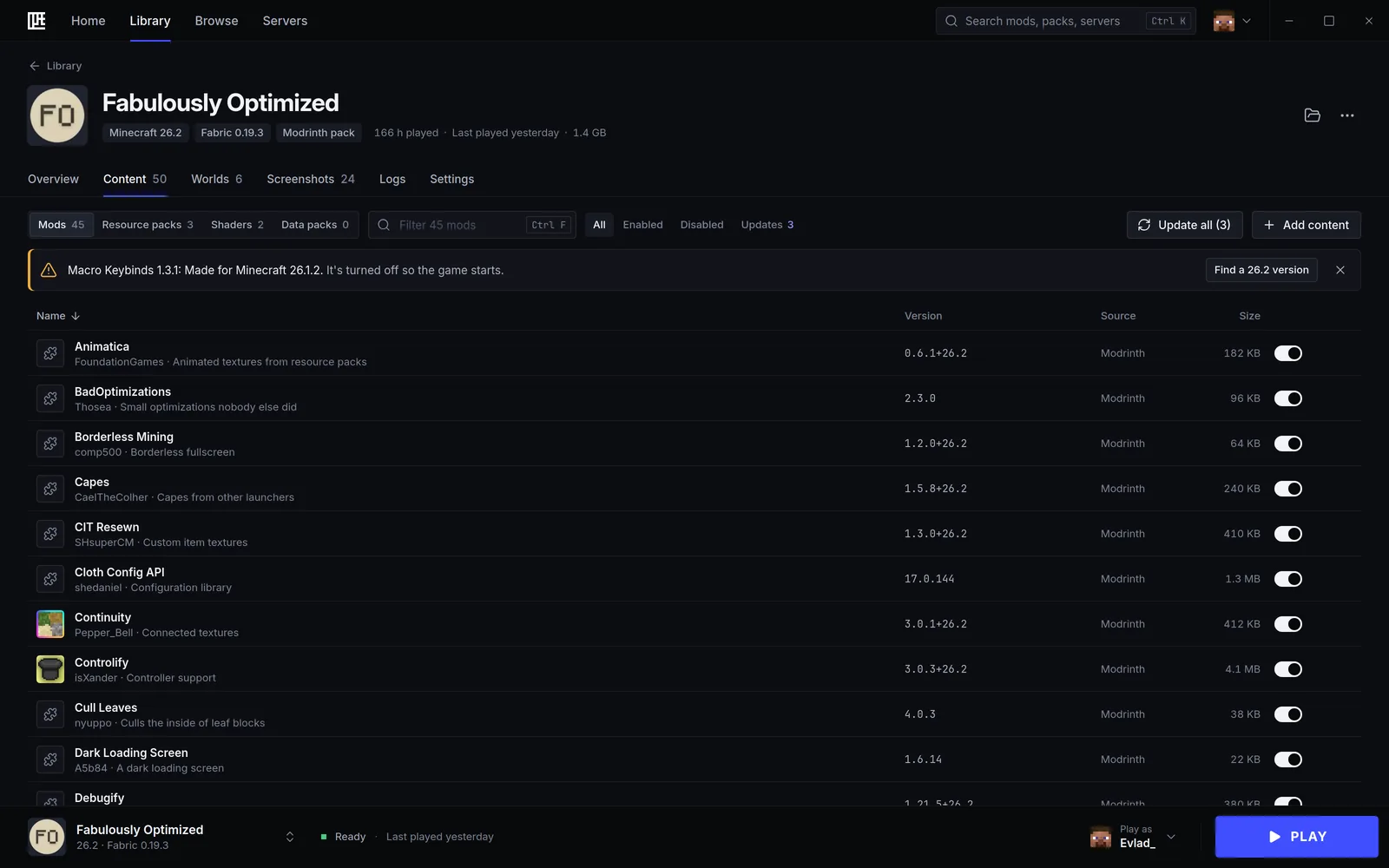
An instance's Content tab: 45 mods with their versions and source, Update all, and a notice that one mod made for another version was turned off so the game starts.

Instances

When it breaks, you know why.

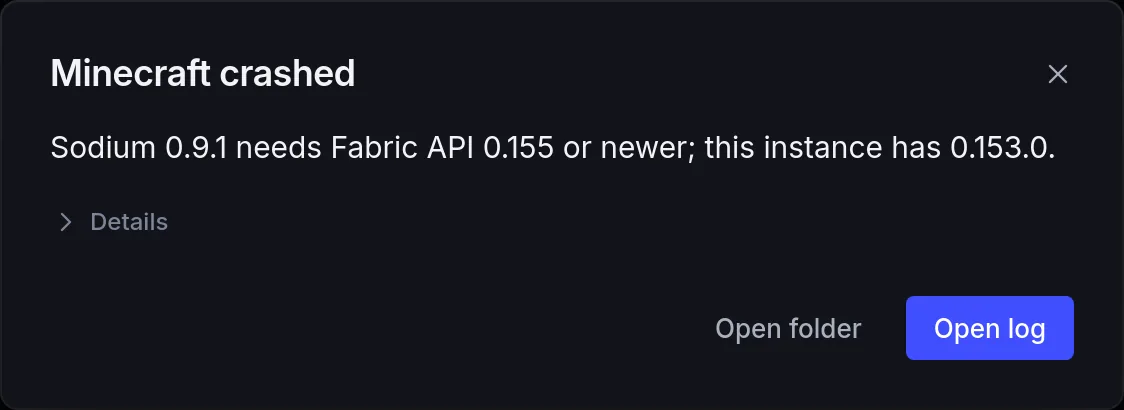
Each instance keeps its own memory, Java and arguments. When the game crashes, the launcher reads the log and says what went wrong, in plain words.

  • Worlds and screenshots at hand
  • A fast log viewer you can search
  • Repair in one click
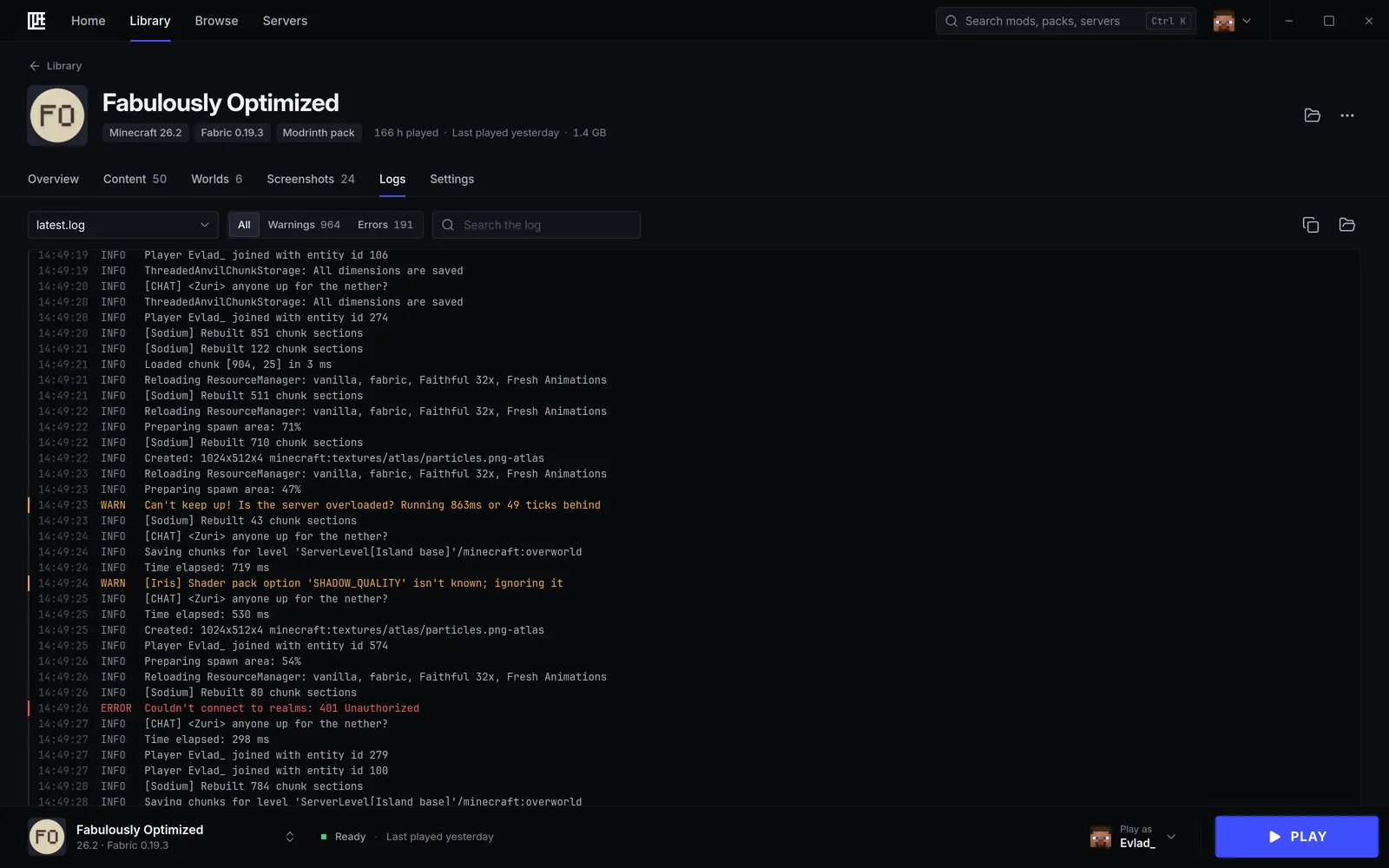
The Logs tab: the game's log with warnings and errors highlighted, filters and a search field.
Minecraft crashed: Sodium 0.9.1 needs Fabric API 0.155 or newer; this instance has 0.153.0.

Servers

Straight to the server.

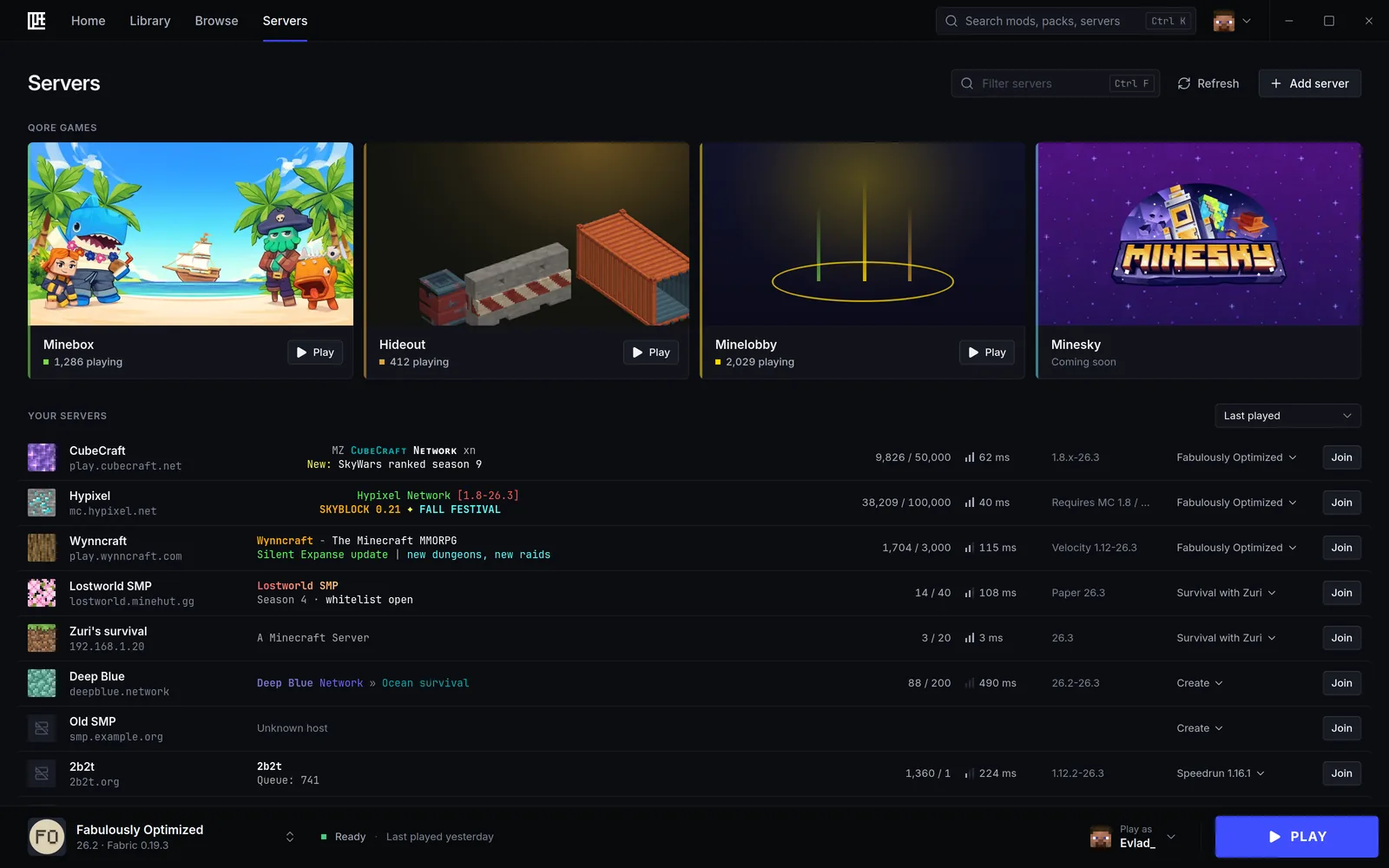
Your servers with their live status, and Join to go straight in with the right instance. Qore's own games are one click away, never forced: one toggle hides them.

  • Minebox
  • Hideout
  • Minelobby
The Servers screen: Minebox, Hideout and Minelobby on top, then your servers with their players, ping, versions and the instance each one joins with.

Qore Optimized

More frames. Nothing to set up.

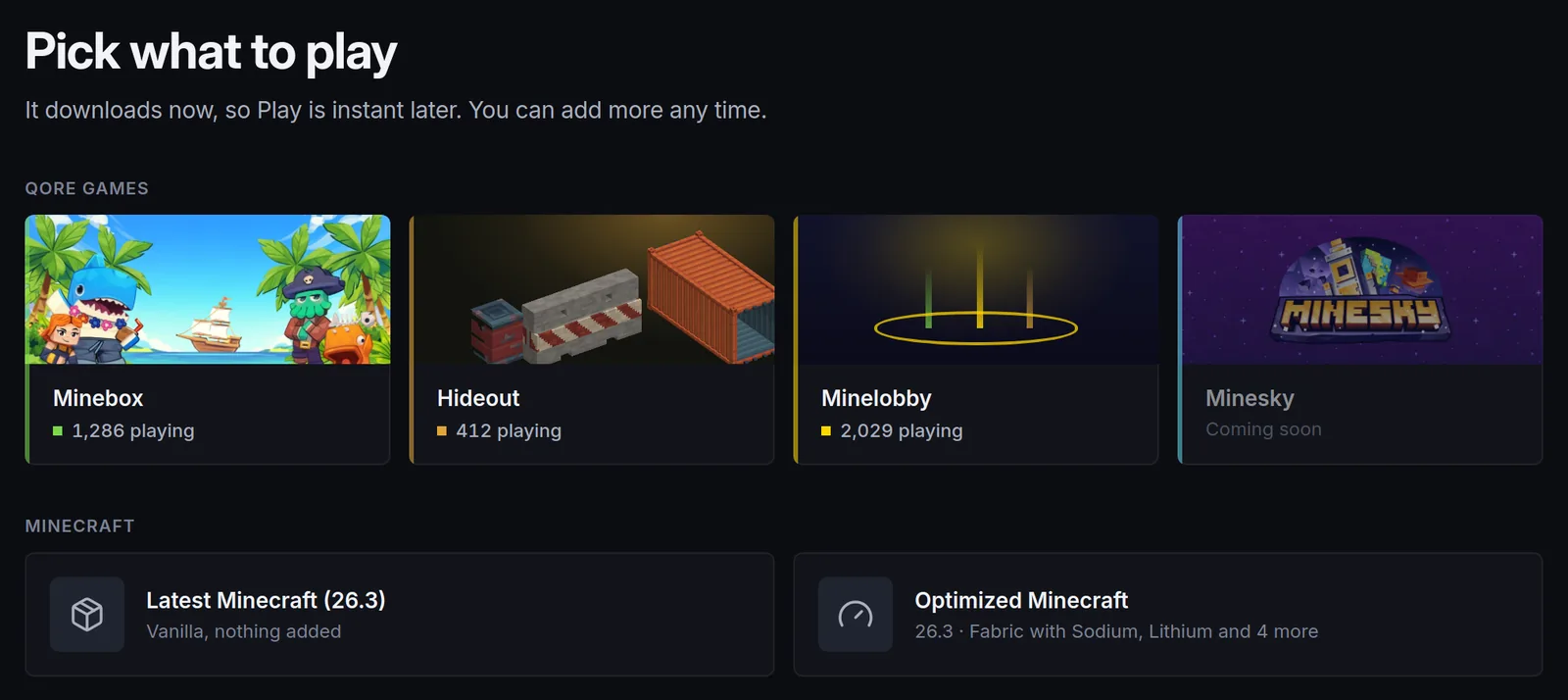
Fabric with Sodium, Lithium and more performance mods, picked by us and kept up to date. Pick it when you make an instance, for any release from 1.20.1. The mods you add stay yours.

  • Fabric
  • Sodium
  • Lithium
  • and more, kept up to date
Pick what to play: Qore's games, the latest Minecraft, and Optimized Minecraft, Fabric with Sodium, Lithium and four more mods.

Safe sign-in

Your account stays yours.

You sign in on Microsoft's own page, in your browser. What keeps you signed in is encrypted, its key in your system's keychain, and it's never sent to us.

  • Microsoft's own sign-in page, in your browser
  • Your password never reaches the launcher
  • Tokens encrypted in your system's keychain

Free

Free. No ads. No tracking.

Nothing is sold, nothing about you goes to Qore. Your Discord profile can show what you're playing; one toggle in Settings turns it off.

Settings, Privacy: Discord status on, usage data off until you turn it on.

Developer mode

A test bench for your server.

Made for server developers. Turn developer mode on and the launcher runs your dev servers and test clients next to your game, and lets your AI agent test your plugins.

  • Dev servers from templates

    Paper, Velocity, Fabric or vanilla, made from a template.

  • A live console

    Every server's output as it happens.

  • Hot plugin deploys

    Send a new build of your plugin to a running server.

  • World snapshots

    Save a world as it is, and go back to it.

  • Lean test clients

    Light game clients that join your server to test it.

  • Foreman, built in

    Foreman's tools, set up for you.

Let your agent test it.

An MCP endpoint lets AI coding agents drive your dev servers and test clients to test your plugins. It listens on your computer only, behind a token, and only once you connect an agent.

Off by default · Settings › Developer

FAQ

Good questions.

Something else? Write to us from the bottom of the page.

Is Qore Launcher free?

Yes. It's free, with no ads, and it doesn't sell or share your data.

Do I need to own Minecraft?

Yes. You need Minecraft: Java Edition on your Microsoft account. You sign in with that account, and the launcher downloads the game from Mojang's servers.

Is it an official Minecraft launcher?

No. Qore Launcher is made by Qore Games, an independent studio.

NOT AN OFFICIAL MINECRAFT PRODUCT.

Does it work on other servers?

Yes, on any server you like: add it to your servers and join from the launcher. Qore's own games sit in their own row, one click away if you want them, and one toggle hides them.

Where do the mods come from?

From Modrinth. Mods, modpacks, resource packs and shaders are made by their creators and published under their own licences; each one links to its page on Modrinth. We don't host or review them.

Is my account safe?

You sign in on Microsoft's own page, in your browser, so your password never reaches the launcher. The tokens that keep you signed in are encrypted, with the key in your system's keychain, and they're never sent to Qore.

What does the launcher send, and to whom?

Only what it needs to work: your sign-in goes to Microsoft, the game comes from Mojang, mods from Modrinth. Nothing about you is sent to Qore, and there are no usage statistics. Every connection is listed in the Privacy Policy.

Which systems does it run on?

Windows, macOS and Linux. There's nothing to download yet: the builds will be on this page.

Get Qore Launcher.

Free for Windows, macOS and Linux. There's nothing to download yet: the builds will be right here.

  • Windows

    Coming soon
  • macOS

    Coming soon
  • Linux

    Coming soon

Before you install, read the Terms of Use and the Privacy Policy.